This morning, @joshcorman linked to an article in the Harvard Business Review “The Conversation” blog that put forth the author’s view of The Four Personas of the Next-Genereation CIO. The term persona is very Jungian and literally refers to “masks worn by a mime”. According to Jung, the persona “enables an individual to interrelate with the surrounding environment by reflecting the role in life that the individual is playing. In this way one can arrive at a compromise between one’s innate psychological constitution and society.“1
So, the jist of the article is that there are four critial roles that the new CIO must play to succesfully interrelate with and orchestrate the IT environment within their business. I believe this provides a context to dovetail information security & compliance components within personas (since none of them are overtly infosec or compliance), essentially facilitating a compromise between the innate desire to “do the right thing” – i.e. compliance/security – (which I do believe most CIOs possess) and the initiatives that stem from these personas which appear to be – on the surface – in direct conflict. As Josh pointed out, this gives us – the professionals that support our CIOs – an opportunity to help rather than obstruct. Let’s take a look at each of the four personas and what parts of information security & compliance are critical to the real success of each role.
Chief “Infrastructure” Officer
Key points:
- cost reduction
- accounts for 70% of IT budget
- “lights on” focus
- needs to maintain legacy environments while trying to integrate disruptive technologies
- internal-facing
This area is where most IT information security & compliance dollars are spent and typically involve personnel & legacy security technology costs (e.g. firewalls and traditional anti-virus) and contribute to the overall budget impact of verifying the efficacy of established controls (i.e. audits).
The best way to help this CIO persona is to ensure that your organization is only spending what it needs to in order to safeguard the information at risk and can be facilitated through regular and repeated risk assessments which prioritize the systems, networks and applications that require the most protection and enable the design & implementation of automated controls in these environments.
Government and industry regulations, third party business partner mandates and internal audit requirements are all factors in the risk assessment process, so there should be no surprises when the auditors come around. Furthermore, this risk assessment process will ultimately ensure that the controls are operating as efficiently as your organization can support with as little resource consumption as possible. It will also help shed light on controls that are missing or ineffective (both the first time through and as you perform regular validations). If you don’t believe compliance has a budget impact, take a look at the True Cost of Compliance report by Ponemon Instutite & Tripwire, Inc.
Solid and well-integrated risk assessment methodologies will speed up infrastructure and application deployment times as there will be no last-minute security surprises that either hold up a rollout or cause compliance problems at a later date due to them not being properly considered. By driving manual control costs to automation, focusing on the right risks and keeping the compliance folks satisfied, you will provide your CIO the tools she needs to keep the lights on and the budget requried to correctly integrate new technologies.
Chief “Integration” Officer
Key points:
- connect internal & external ecosystems
- accounts for 10% of IT budget
- connects disperate processes, data, systems, etc
- M&A-centric
- external- & internal-facing
Of all the areas, I believe this one presents the best opportunity for our profession to shine and deliver the most value to IT & the business. They key is to weed out all “Doctor No’s” in your organization. The “Doctor No” basically says “No” to every ” can we do ‘x'” questions, which is at the heart of all the activities this CIO persona needs to perform. For example:
Senior Business Analyst: “Can we connect these systems to this cloud service?”
Security Analyst: “NO! Of course not, you fool!”
Moving from “No” to enabling the business to operate in a secure fashion is an extension of the risk management practices that make the Infrastructure persona successful and needs to be combined with a strong Security Architecture program. For every connection, identify the non-negotiable compliance requirements as factors in a thoughtful risk assessment process. Communicate the “must-haves” and the risk finding to the business & IT stakeholders and enable them to make an informed decision with innovative and/or time-tested architecture options.
Business owners are used to taking risks all the time (or just going out of business if they fail to take on risks regularly) and security/compliance risks are no different except that most senior executives are far more familiar with traditional risk management activities and need your help integrating security & compliance risk understanding into their existing knowledge-base.
Natural by-products of your support in this area will be:
- an understanding of the benefits of a data classification system (so your CIO will know what she really does need to protect),
- an appreciation for the development of lightweight, repeatable process during the early stages of analysis & integration design, and
- a comprehension of the inherent, legitimate risks in the environment
which will all support more efficient acquisition and integration endeavours (and, I can’t think of one CIO that would be against increased efficieny in those areas).
Chief “Intelligence” Officer
Key points:
- actionable insight
- accounts for 10% of IT budget
- improves business-user access to information
- right data to right person at right time on right interface
- internal-facing
This area has a similar reliance on a robust data classification program and can be more easily facilitated via a robust identity and access management program. To make your CIO successful, you will need to help her work with the business to identify the information assets to be incorporated into each business intelligence (BI) initiative and ensure they are classified by their owners/stakeholders. There’s a good chance you’ll need to re-think your access control infrastructure architecture as well since you will be facing users armed with iPads, Macs and modern web client technologies that you’ve managed to avoid up until now.
To ensure these BI activities will not just add to audit findings it will be important to incorporate regular access rights reviews into the mix since authentication and authorization will be the most robust control points. Perhaps this will also be a way to start the discussion on moving from archaic username and password credentials to multi-factor authentication, adaptive authentication or even a full-on migration to PKI. You will not have a better time than now for showing how these solutions enable better access control and give even more options even in the general application space.
Finally, with all of this information flying through your network this may be the most opportune time to research what DLP solutions are available and how they might be deployed (one size and even one solution does not fit all) to ensure the business is retaining as much control over the data as it wants (risk management always seems to sneak its way in).
Remember, the goal is to facilitate the business operations with as little disruption as possible. Getting in up-front with your ideas and solutions will make your CIO much more effective in orchestrating successful BI programs and projects.
Chief “Innovation” Officer
Key points:
- pilots disruptive technologies
- accounts for 10% of IT budget
- move fast; fail fast; move on
- externa-facing
I like shiny objects as much as the next tech-SQUIRREL!-and many CIOs do as well. Who wouldn’t want to arm their workforce with iPads connected to VDI sessions in the cloud (shameless SEO-inspired sentence)? Seriously, though, the modern CIO must regularly push IT & business users and management out of their comfort zones to avoid having their whole shop turn into a data center maze of twisty legacy deployments. Even if the mainframe is still king in many large shops, getting that data into the hands of consumers wielding iOS and Android devices will be crucial to the ongoing success of each enterprise (and, that’s just today).
Moving beyond traditional development models and languages and embracing faster, lighter and domain-specific tools is also part of the equation. Rapid code updates across far more platforms than you are use to will eventually be the norm. And, deployment models that involve traditional systems, internally dynamically provisioned application spaces and external content and hosting providers will almost be a necessity for business to succeed.
You must be prepared to have your organization adapt with these changing models. Make sure your staff is part of initiatives like the Cloud Security Alliance, OWASP and Rugged. Keep up with disruptive innovators and embrace the challenge of working with these groups instead of fighting against them.
You will need to help your CIO bake security and compliance checkpoints all throughout the exploratory and development phases of these risky endeavours. Identifying compliance pitfalls will be paramount as the regulatory bodies and auditors are even less apt to embrace change than your security teams are, never mind the monumental and drawn-out tasks of making any changes to established regulatory requirements. Working to help these efforts succeed is great, but you also need to take care to avoid being the reason they fail (especially if that’s not due solely to a compliance problem).
I believe this new model of modern CIO will be very willing to work with a information security/risk/compliance group that exhibits even some of the qualities listed above. It won’t be easy (hey, it isn’t now) but it will give you the most opportunity to be successful in your program(s) and be one of the most critical components in enabling your CIO to respond to ever changing business needs and ventures.
 by Patrick Lencioni.
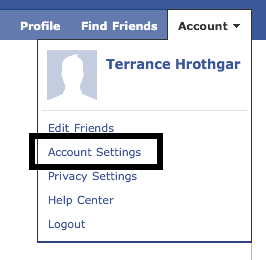
  For some reason, even with that general guidance, the whole concept of someone hijacking their Facebook account really scares folks and many end up asking specific question on ensuring their Facebook access is protected. This usually involves walking them through how to check to see if SSL is enabled by Facebook’s service and also how to monitor access to their Facebook account.