NOTE: The comments are a must read for this. Some excellent additional advice and “gotchas” by some super-helpful readers.
I was in a conversation with an academic colleague (wicked smart dude) and the subject of installing R came up (NOTE: this will happen to you, too, if you ever have the misfortune to have a face-to-face convo with me ;-). They noted that getting up and running with R was not as seamless as one would like it to be and, to be honest, I have to agree, especially after typing the rest of this post out.
I recently had a similar experience helping folks who use Windows get R & RStudio up and running and that’s even more of a nightmare, especially if you do not have Administrator privileges (or, perhaps I just scare easily).
Prior to these experiences, I never really stopped to consider just how less friendly the installation process of R is when compared to Excel, Tableau or other apps one might use for data analysis and visualization. Hopefully this will becomre a top priority for the R Consortium.
Since this colleague uses OS X, I offered to put together instructions for how to get R & RStudio installed and finally had 5 minutes to crank out a blog post to help the broader community with the information.
Get R
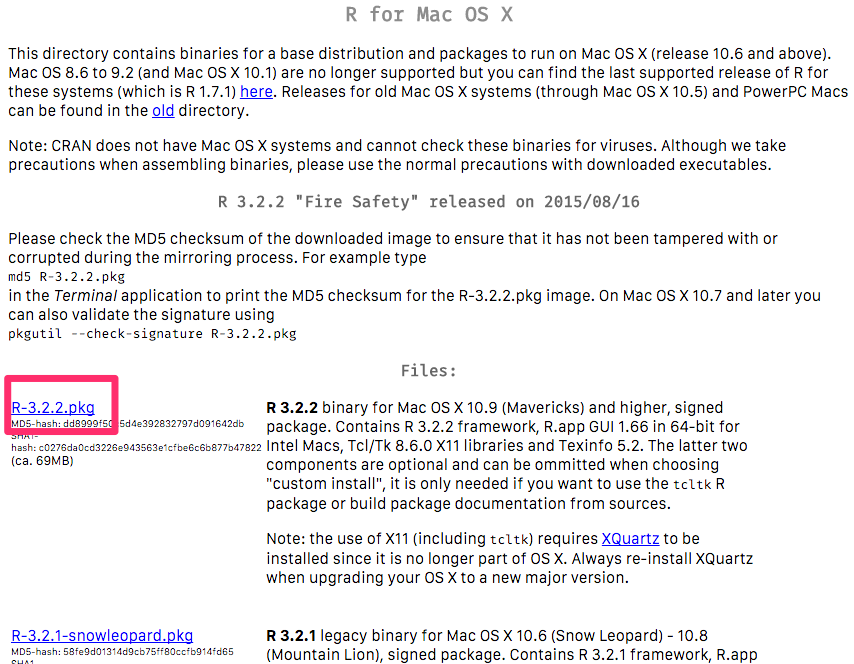
- Go to https://cran.rstudio.com/bin/macosx/
- If you're on a recent version of OS X, download the first
.pkglink. As of this post, it'sR-3.2.2.pkgand the direct URL is https://cran.rstudio.com/bin/macosx/R-3.2.2.pkg - Install the package by double-clicking on it and working through the prompts.
Verify R itself is working
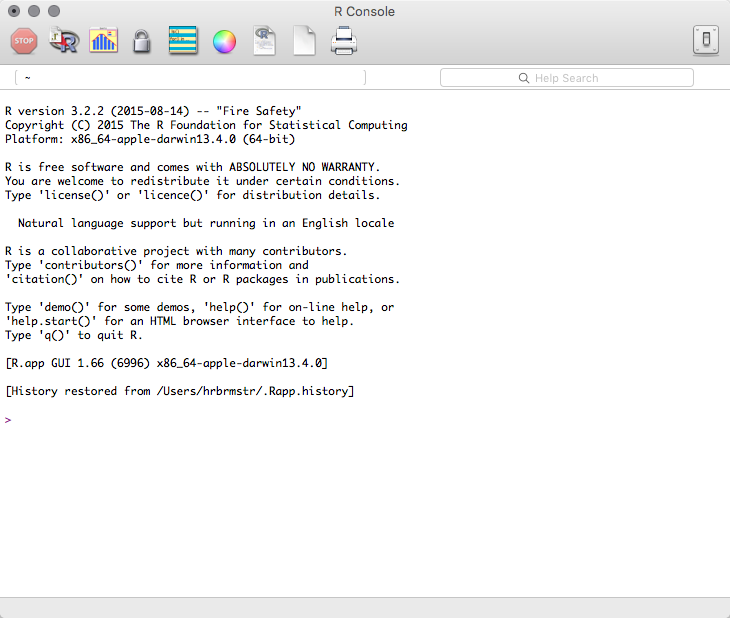
- Look in the
Applicationsfolder for the R application. - Double-click it and you should see an R console window.
- If that did not work, try installing R again
- Once you've verified R is working, quit the app
Download RStudio
RStudio is an integrated development environment for R that will make your life and coding easier.
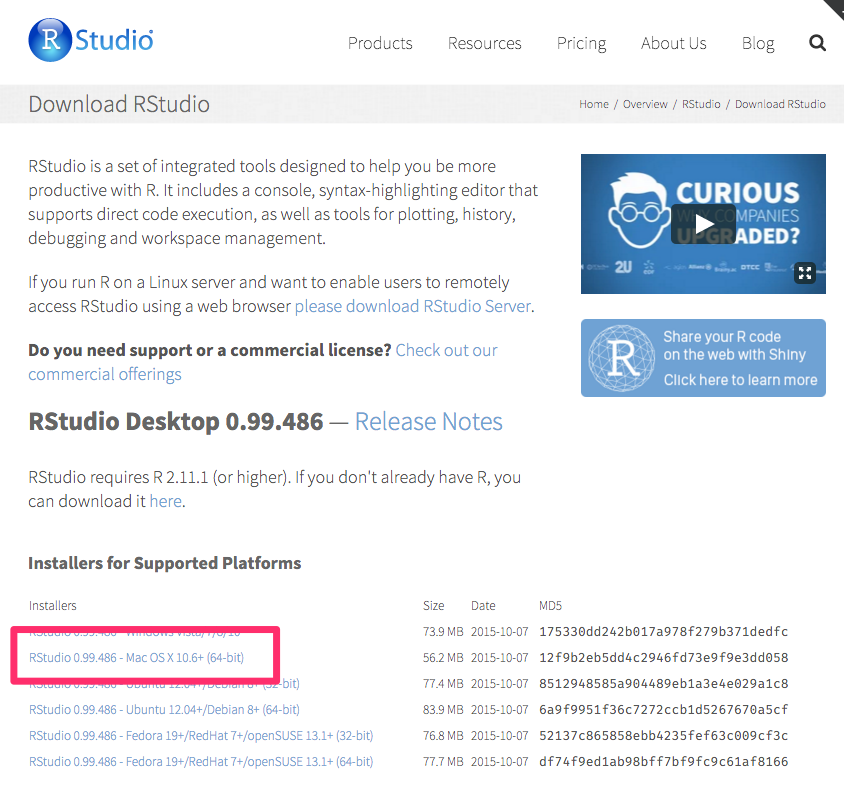
- Go to https://www.rstudio.com/products/rstudio/download/ and download the RStudio version for Mac OS X. It'll say something like
RStudio 0.99.486 - Mac OS X 10.6+ (64-bit). The direct URL for that verison (which was current at the time of this post) is https://download1.rstudio.org/RStudio-0.99.486.dmg - Double-click that DMG file
- Drag the RStudio icon to the
Applicationsfolder.
Verify RStudio & R are working together
- Look in the
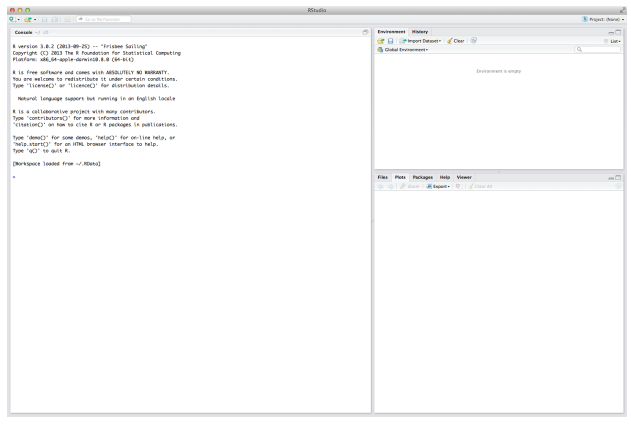
Applicationsfolder for the RStudio application. - Double-click it and you should see an RStudio window with four panes.
From now on, just start RStudio when you want to work in R.
[Optional] Install XQuartz
Some functions in R require an “X11 Server” and/or libraries associated with an X11 server. Apple does not provide this software with OS X anymore so you have to do it on your own via a third-party application called XQuartz.
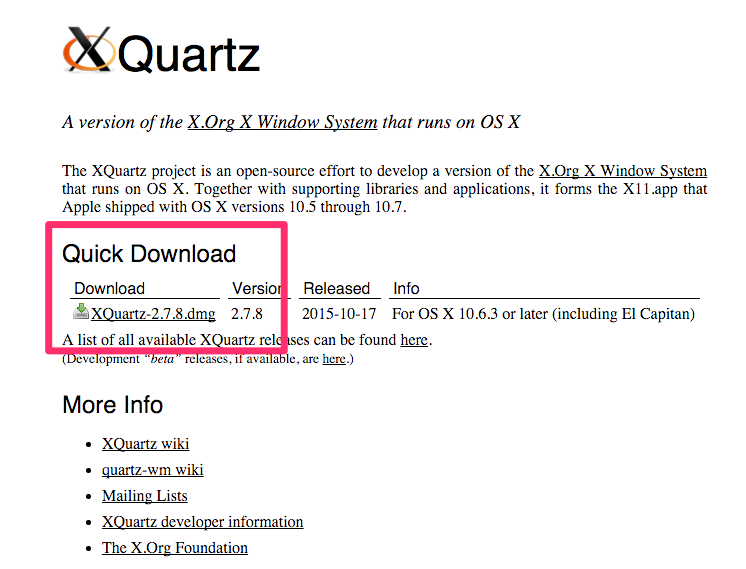
- Go to http://xquartz.macosforge.org/landing/ and download the top-most "quick download" disk image file. As of this post, that's version 2.7.8 and this is the direct link http://xquartz.macosforge.org/downloads/SL/XQuartz-2.7.8.dmg
- Double click the downloaded disk image then double click on the
XQuartz.pkgand follow the installation steps.
[Optional] Install Xcode Tools
Some R packages require compilation. That requires utilities not installed on OS X by default. You can wait to do the following until it’s needed, but since you’re already installing things…
- Get Xcode https://itunes.apple.com/us/app/xcode/id497799835?mt=12 and install it like any "normal" Mac application
- When the intallation is done, open Xcode then close it just to verify it installed correctly
- Find and open the
Terminalprogram in theUtilitiesfolder under theApplicationsfolder - Paste the following into the Termainal window and hit enter/return (accept any dialog/prompt):
xcode-select --install`- Close the Terminal application
[Optional] Set yourself up for easier future compiled package installation
Some R packages need additional libraries to work and most aren’t on your system by default. There are a myriad of ways to get these libraries, and the way I obtain them is via the homebrew utility. You can save yourself the trouble of installing homebrew later by doing the following now:
- Find and open the
Terminalprogram in theUtilitiesfolder under theApplicationsfolder - Paste the following into the Terminal window and hit enter/return:
ruby -e "$(curl -fsSL https://raw.githubusercontent.com/Homebrew/install/master/install)"- Read and accept the various prompts until it's installed
- Close the Terminal application
You can now do brew install xyz in the future when a library is needed to support a package. Drop a note in the comments if you’d like this discussed more in a future blog post.
[Optional] [If you have an hour+ to kill] Install MacTeX
R has an academic history and there are many semi-advanced functions that are tied to something called latex. Installing latex for OS X is not hard, just time (and bandwidth) consuming (it’s about the same size as a new OS X installer). If you delve into package creation or do more detailed output work in R, you’ll want to install MacTex sooner than later.
- Go to https://tug.org/mactex/mactex-download.html and download the latest
MacTeX.pkgfile. This direct link should always work (until they change up the way their site works) http://tug.org/cgi-bin/mactex-download/MacTeX.pkg - Double-click the pkg installer and follow the prompts. The defaults should all be good enough for now.
Fin
If you have any changes/additions/etc drop a note in the comments. I may even stick this on github to make it easier to contribute in the future.